There is a common issue with Android phones related to the widgets: they stop being updated periodically, looking totally frozen. For example, the app could say that you quit 30 days ago while the widget says that you quit only 15 days ago. So sad.
That is related to an automatic battery saver that some phones have. To stop apps wasting battery doing background work, the manufacturers thought they could just block all the background tasks. That leads to apps that cannot do anything in the background like, for example, updating widgets... in the same way, they whitelist apps like WhatsApp, Instagram and Facebook, because they know that users of those big apps would rage if they did not work on their phones... but the manufacturers do not care about small lovely healthy apps like QuitNow!
Well, how to fix it? The quick answer is that you have to disable that "optimisation" for QuitNow. The problem is that the way to do it depends on the phone brand you have.
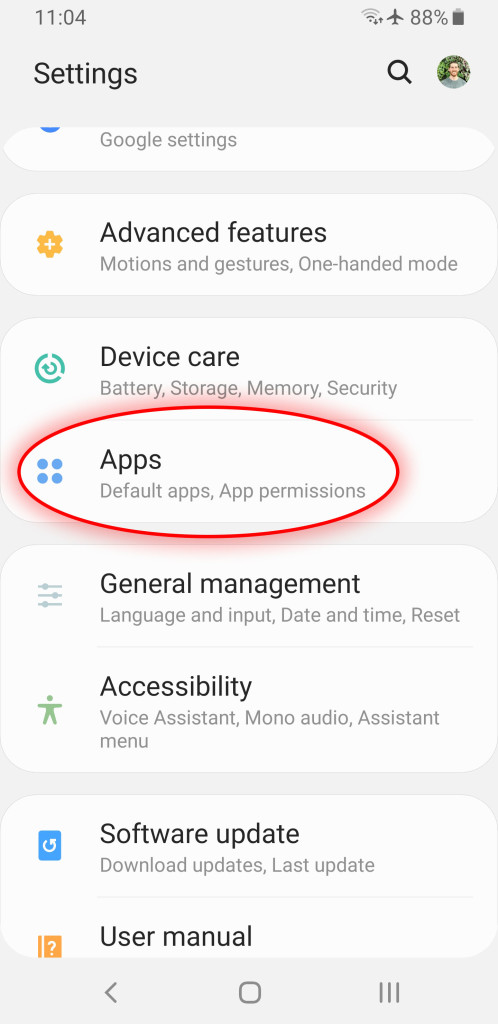
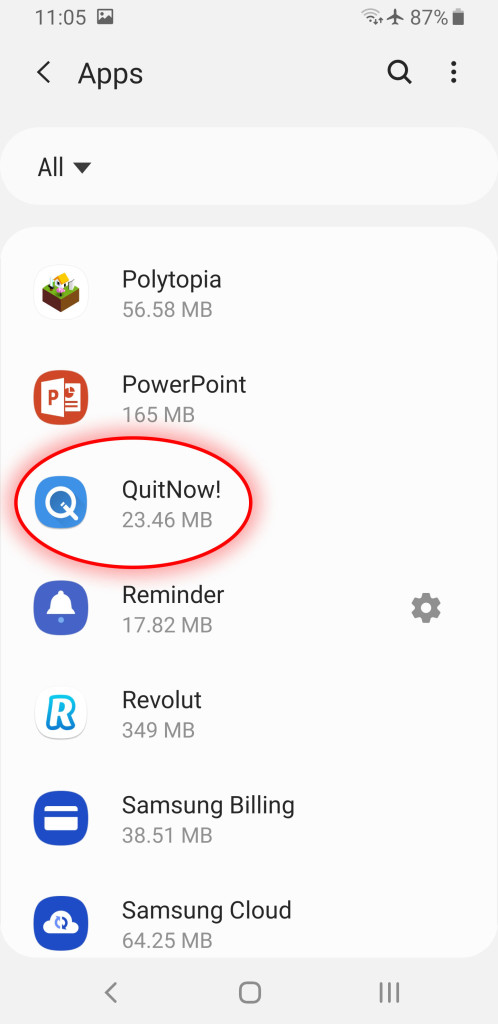
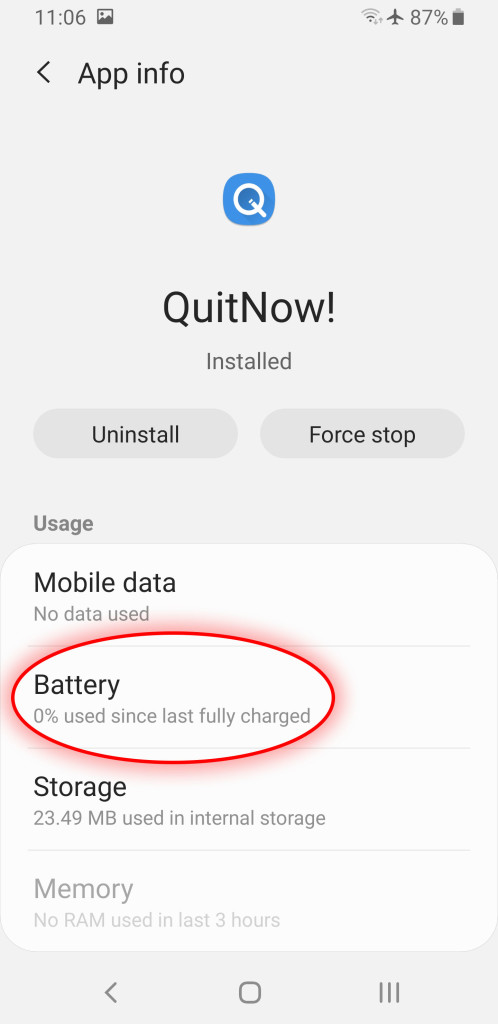
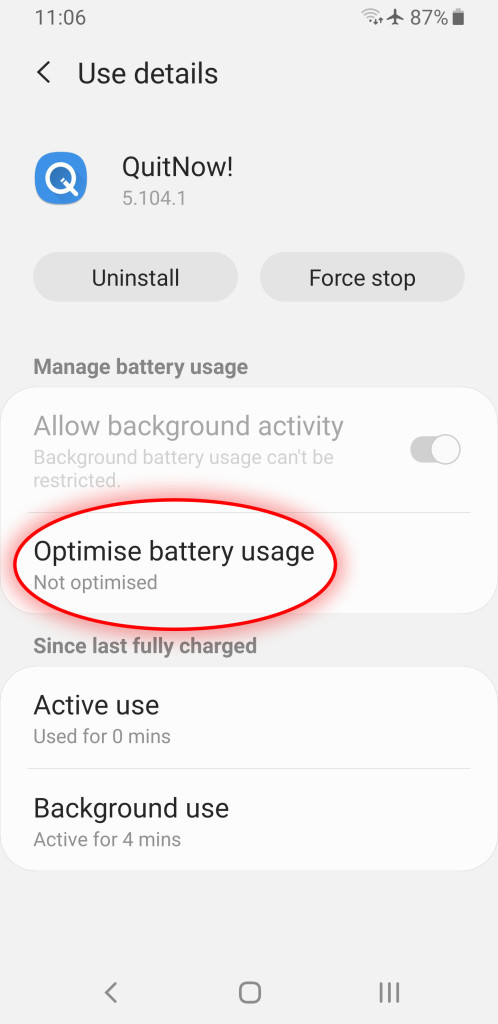
We have made a step by step guide for Samsung phones, the ones that most commonly have this issue. If you own a Samsung, just follow these steps. Everything should look like it does in the screenshots.
Open the settings screen and tap the Apps button.
Scroll until QuitNow and tap on it.
Tap the Battery section.
Tap the Optimise battery usage section.
Choose to show All apps in the top left corner, scroll to QuitNow, and disable the optimiser for it.
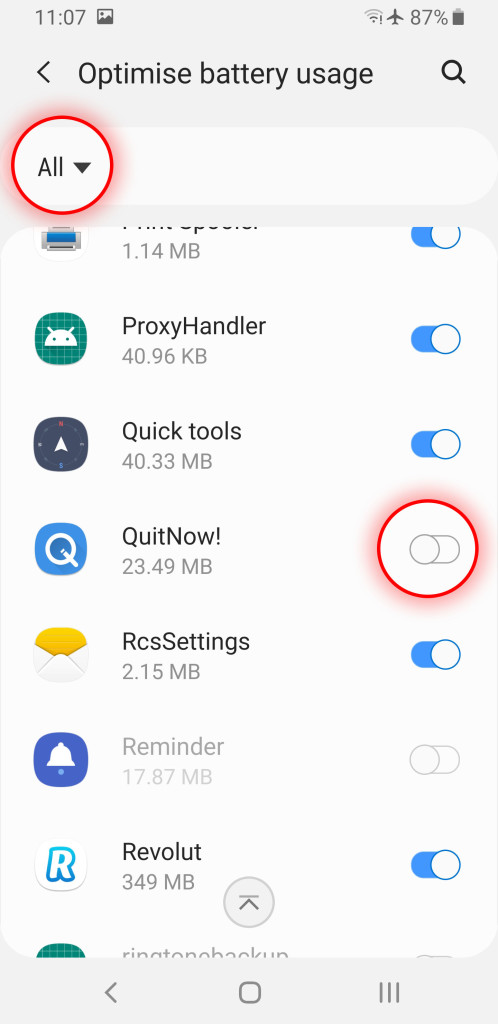
Enjoy the always updated widget!
If you own another phone, please contact us and we will do our best to write a step by step guide explaining how to disable the battery saver for QuitNow on your phone. Thanks a lot for writing to us!